Limited offer: Buy 2 beats, get 1 for free 🔥 Ends in:

Blog - Crusader Beats

Why You Should Save Your Ideas – Organizing Your Workflow in a DAW

Every producer has experienced it: you create a great melody, a unique drum pattern, or an interesting sound—and then… you lose it. Either you forget to save, can’t find the project later, or never come back to it.
Saving and organizing your ideas is one of the most underrated skills in music production. It’s not just about being tidy—it’s about protecting your creativity and making your workflow more efficient.

In this article, you’ll learn why saving ideas matters and how to organize your work inside a DAW.


Why Saving Ideas Is So Important

Creative ideas are unpredictable. They don’t appear on demand—and when they do, they’re often fragile.

If you don’t capture them:

  • You forget them quickly
  • You lose motivation
  • You waste creative momentum

Saving ideas allows you to:

  • Build a library of inspiration
  • Return to unfinished tracks
  • Develop ideas over time

Great songs are often built from small ideas saved earlier.


1. Capture Ideas Immediately

When inspiration hits, don’t wait.

Best practice:

  • Record quickly—even if it’s rough
  • Don’t worry about quality
  • Save everything

A simple melody recorded in 30 seconds can become a full track later.


2. Use Project Naming That Makes Sense

Avoid names like:

  • “track1”
  • “new beat final final v3”

Instead, use clear naming:

  • “dark_trap_140bpm”
  • “piano_melody_idea_A”
  • “lofi_chill_sketch”

Good naming helps you find ideas quickly.


3. Create an Idea Folder System

Organize your projects into categories:

Example structure:

  • Ideas / Sketches
  • Work in Progress
  • Finished Tracks
  • Sound Design
  • Experiments

This keeps your workflow clean and easy to navigate.


4. Save Versions of Your Projects

Don’t rely on one file.

Use versioning:

  • track_v1
  • track_v2
  • track_v3

This allows you to:

  • Go back to earlier ideas
  • Experiment without fear
  • Avoid losing progress

5. Export Audio Sketches

Sometimes opening a full project is too slow.

Instead:

  • Export short MP3/WAV previews
  • Keep them in a “Ideas” folder
  • Listen on your phone or outside the studio

This helps you stay connected to your ideas.


6. Organize Sounds and Presets

Your workflow improves when your sounds are organized.

Tips:

  • Tag favorite presets
  • Create folders for drums, melodies, FX
  • Save your own presets

The faster you find sounds, the faster you create.


7. Use DAW Templates

Templates reduce setup time and help you capture ideas faster.

Include:

  • Pre-loaded instruments
  • Routing
  • Basic effects

When inspiration comes, you’re ready instantly.


8. Keep Notes Inside Your Projects

Leave reminders for your future self.

Examples:

  • “Fix bass timing”
  • “Try different snare”
  • “Add vocals here”

This makes it easier to continue later.


9. Don’t Delete Ideas Too Quickly

What sounds bad today might be useful later.

  • Old ideas can inspire new tracks
  • You can reuse melodies or sounds
  • You can learn from past work

Keep more than you delete.


10. Back Up Your Work

Losing projects is one of the worst experiences for a producer.

Use:

  • Cloud storage
  • External drives
  • Automatic backups

Always have at least one backup.


Common Mistakes

  • Not saving frequently
  • Poor file naming
  • No folder structure
  • Deleting ideas too early
  • Keeping everything in one place

Avoiding these mistakes saves time and frustration.


Saving and organizing your ideas is not boring—it’s a creative advantage. The more structured your workflow is, the easier it becomes to turn ideas into finished tracks.

Your future self will thank you for every idea you save today.

Productivity in the Studio – Techniques to Boost Efficiency

Every producer knows the feeling: you sit down in your studio with motivation, but hours later you’ve barely made progress. Productivity in music production isn’t about working longer—it’s about working smarter, staying focused, and reducing friction.

In this article, you’ll learn practical techniques to improve your workflow, finish more tracks, and make better use of your time in the studio.


Why Productivity Matters in Music Production

Music production combines creativity and technical work. Without structure, it’s easy to:

  • Get stuck on small details
  • Jump between unfinished ideas
  • Lose motivation
  • Burn out

Improving productivity helps you:

  • Finish more music
  • Stay consistent
  • Grow faster as a producer

1. Set Clear Goals Before Each Session

Don’t start your session without a plan.

Examples:

  • “Finish the drum arrangement”
  • “Create a bassline”
  • “Mix the vocal”

Clear goals reduce decision fatigue and keep you focused.


2. Use Time Blocks (Pomodoro Technique)

Work in focused intervals:

  • 25–50 minutes of work
  • 5–10 minutes break

Benefits:

  • Better concentration
  • Less burnout
  • Higher output

Short bursts of focus are more effective than long, unfocused sessions.


3. Separate Creative and Technical Work

Trying to compose, mix, and fix problems at the same time kills productivity.

Better approach:

  • Session 1 → Writing and arranging
  • Session 2 → Sound design
  • Session 3 → Mixing

Different tasks require different mindsets.


4. Use Templates and Presets

Don’t start from scratch every time.

Include in your template:

  • Drum tracks
  • Favorite plugins
  • Routing and buses
  • Basic mix setup

This saves time and lets you start creating immediately.


5. Limit Your Tools

Too many options slow you down.

Try:

  • Using a small set of plugins
  • Sticking to a few synths
  • Avoiding plugin browsing mid-session

Mastering a few tools is more productive than collecting many.


6. Commit Decisions Early

Perfectionism kills momentum.

  • Bounce MIDI to audio
  • Freeze tracks
  • Stop endlessly tweaking

Move forward instead of constantly revisiting the same idea.


7. Organize Your Projects

A messy session = slow workflow.

Best practices:

  • Name tracks clearly
  • Use color coding
  • Group related elements
  • Remove unused tracks

Organization saves time and mental energy.


8. Reduce Distractions

Your environment matters.

  • Turn off notifications
  • Close unnecessary apps
  • Use full-screen DAW mode
  • Work in a quiet space

Focus is one of your most valuable resources.


9. Use Reference Tracks

Reference tracks help you:

  • Make faster decisions
  • Stay aligned with your genre
  • Avoid overthinking

They act as a guide, especially when you feel stuck.


10. Finish More Projects (Even Imperfect Ones)

Many producers start tracks—but don’t finish them.

Finishing teaches you:

  • Arrangement
  • Mixing decisions
  • Workflow discipline

Done is better than perfect.


11. Take Breaks and Reset Your Ears

Working too long reduces objectivity.

Take breaks to:

  • Avoid ear fatigue
  • Refresh your perspective
  • Improve decision-making

Even 10 minutes can make a difference.


12. Build a Consistent Routine

Consistency beats motivation.

  • Set regular studio time
  • Work even when you don’t feel inspired
  • Treat production like a habit

Discipline creates results.


Common Productivity Mistakes

  • Overthinking small details
  • Switching between projects too often
  • Chasing new plugins instead of finishing music
  • Waiting for inspiration

Avoid these habits to stay efficient.


Productivity in the studio is not about rushing—it’s about removing obstacles between your ideas and execution. With the right habits, tools, and mindset, you can work faster, stay creative, and finish more music.

The most important rule:

Start, stay focused, and finish what you begin.

How to Overcome Creative Block in Music Production

Every music producer—no matter the level—faces creative block at some point. You open your DAW, load your favorite sounds… and nothing happens. No ideas, no inspiration, no direction.

Creative block can be frustrating, but it’s also completely normal. The key is not to avoid it—but to learn how to work through it.

In this article, we’ll explore practical ways to overcome creative block and get back into the flow.


What Is Creative Block?

Creative block is a temporary inability to:

  • Generate ideas
  • Finish projects
  • Feel inspired or motivated

It can be caused by:

  • Mental fatigue
  • Perfectionism
  • Overthinking
  • Lack of direction
  • Burnout

Understanding the cause helps you fix the problem.


1. Lower Your Expectations

One of the biggest causes of creative block is pressure.

Instead of thinking:

“I need to make something amazing”

Try:

“I’ll just make something.”

Remove the expectation of perfection—focus on starting, not finishing.


2. Set Small, Clear Goals

Big goals can feel overwhelming.

Examples of small goals:

  • Create a drum loop
  • Design one sound
  • Write a melody in 10 minutes

Small wins build momentum.


3. Change Your Workflow

Doing the same thing repeatedly kills creativity.

Try:

  • Starting with melody instead of drums
  • Using a different genre
  • Working at a different tempo
  • Switching your DAW layout

New approaches create new ideas.


4. Use Limitations

Too many options can block creativity.

Limit yourself:

  • Use only 3 sounds
  • Use stock plugins only
  • Work with one sample

Constraints force you to be more creative.


5. Use Reference Tracks

Listening to other music can spark ideas.

But don’t copy—analyze:

  • Structure
  • Energy
  • Sound choices

References help you find direction.


6. Take a Break (Seriously)

Sometimes the best solution is to stop.

  • Go for a walk
  • Listen to music casually
  • Step away for a few hours or a day

Your brain needs rest to reset.


7. Finish Bad Ideas

Not every project needs to be great.

Finishing something—even if it’s not perfect—helps you:

  • Build discipline
  • Learn faster
  • Stay consistent

Progress beats perfection.


8. Experiment Without Purpose

Give yourself permission to play.

  • Try random sounds
  • Use unusual plugins
  • Break rules

Some of the best ideas come from experimentation.


9. Organize Your Sounds and Projects

Chaos slows creativity.

  • Clean your sample library
  • Use templates
  • Save presets

A clean workflow removes friction.


10. Build a Routine

Creativity loves consistency.

  • Set regular production time
  • Work even when you’re not inspired
  • Treat it like a habit, not a mood

Inspiration often comes after you start.


11. Collaborate With Others

Working with other producers can:

  • Bring new perspectives
  • Push you out of your comfort zone
  • Spark fresh ideas

Collaboration breaks isolation.


12. Accept That Block Is Part of the Process

Creative block is not failure—it’s part of growth.

Even top producers experience it regularly.

The difference is:
👉 they keep going anyway.


Common Mistakes During Creative Block

  • Forcing ideas too hard
  • Comparing yourself to others
  • Quitting too early
  • Waiting for “perfect inspiration”

Creativity is built through action, not waiting.


Creative block is not something to fear—it’s something to understand. By changing your mindset, simplifying your workflow, and staying consistent, you can turn creative block into a temporary pause instead of a permanent obstacle.

The most important rule:

Keep creating—even when it’s not perfect.

10 Hidden Gem Plugins That Will Elevate Your Music Production

Most producers rely on the same popular plugins—EQs, compressors, and well-known synths. While those tools are essential, real growth often comes from discovering less obvious plugins that inspire creativity and solve problems in unique ways.

In this article, we’ll explore 10 underrated or less obvious plugins that can seriously elevate your productions.


1. Cableguys ShaperBox 3

A powerful multi-effect plugin that lets you shape volume, filters, panning, and more with LFOs.

Why it stands out:

  • Endless rhythmic possibilities
  • Great for movement and groove
  • Perfect for modern electronic music

2. Baby Audio Transit

Designed specifically for transitions.

What it does:

  • Creates risers, drops, and effects instantly
  • Saves time during arrangement
  • Adds professional polish

3. Output Portal

A creative granular processor.

Best for:

  • Sound design
  • Ambient textures
  • Glitch effects

Transforms simple sounds into something unique.


4. Kilohearts Multipass

A modular multi-band processing tool.

Why it’s powerful:

  • Process different frequency ranges separately
  • Build custom effect chains
  • Extremely flexible

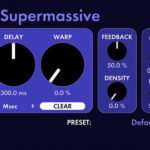
5. Valhalla Supermassive

A free plugin that goes far beyond typical reverb.

Use it for:

  • Massive space effects
  • Creative delays
  • Atmospheric sounds

6. Soundtoys Decapitator

A legendary saturation tool.

Why it’s special:

  • Adds warmth and aggression
  • Works on almost anything
  • Great for drums and vocals

7. XLN Audio RC-20 Retro Color

Perfect for adding character.

Features:

  • Noise, wobble, distortion
  • Vintage textures
  • Lo-fi effects

Ideal for hip-hop and lo-fi genres.


8. Goodhertz Wow Control

Simulates analog pitch instability.

Use cases:

  • Tape-style wobble
  • Vintage vibe
  • Subtle movement

9. iZotope VocalSynth 2

Not just for vocals.

Creative uses:

  • Robotic textures
  • Harmonization
  • Sound design

10. Devious Machines Texture

Adds layers and noise to sounds.

Why it’s unique:

  • Enhances depth
  • Adds atmosphere
  • Works on any instrument

Why These Plugins Matter

These tools:

  • Break creative routines
  • Introduce new workflows
  • Add unique sonic character
  • Help your music stand out

Sometimes one creative plugin can change your entire sound.


How to Use Them Effectively

  • Don’t overuse them
  • Apply them with intention
  • Combine subtle processing with creativity
  • Always compare with and without the effect

Common Mistakes

  • Using creative plugins on every track
  • Ignoring mix balance
  • Overprocessing
  • Chasing complexity instead of clarity

You don’t need more plugins—you need better ideas and smarter tools. These hidden gems can open new creative doors and help your music stand out from the crowd.

Explore them, experiment, and most importantly—use them with intention.

Ableton vs FL Studio vs Logic Pro – Which DAW Should You Choose in 2026?

Choosing the right DAW (Digital Audio Workstation) is one of the most important decisions for any music producer. Among the most popular options today are Ableton Live, FL Studio, and Logic Pro. Each has its own workflow, strengths, and target audience.

In this guide, we’ll compare these three DAWs in detail to help you decide which one fits your style and needs.


Quick Overview

  • Ableton Live → Best for live performance and electronic music
  • FL Studio → Best for beat-making and beginners
  • Logic Pro → Best for full production and Apple users

1. Workflow and Interface

🎛️ Ableton Live

  • Unique Session View for loop-based production
  • Fast idea generation
  • Excellent for live performance

👉 Best for: EDM, techno, live sets


🎹 FL Studio

  • Pattern-based workflow
  • Step sequencer + piano roll
  • Very beginner-friendly

👉 Best for: hip-hop, trap, beatmaking


🎼 Logic Pro

  • Traditional linear timeline
  • Clean and structured workflow
  • Strong arrangement tools

👉 Best for: songwriting, mixing, film music


2. Ease of Use

  • FL Studio → easiest for beginners
  • Logic Pro → intuitive but more structured
  • Ableton Live → simple basics, advanced depth

👉 Winner: FL Studio (for beginners)


3. Built-in Instruments and Sounds

Ableton Live

  • Solid but minimal compared to others
  • Great for sound design

FL Studio

  • Good selection of synths and tools
  • Strong for electronic genres

Logic Pro

  • Huge library of instruments
  • High-quality sounds out of the box

👉 Winner: Logic Pro


4. Piano Roll and MIDI Editing

  • FL Studio → industry-leading piano roll
  • Ableton → solid but simpler
  • Logic Pro → powerful and precise

👉 Winner: FL Studio


5. Audio Recording and Mixing

  • Logic Pro → best for recording and mixing
  • Ableton → good but more production-focused
  • FL Studio → improved, but not its main strength

👉 Winner: Logic Pro


6. Performance and Live Use

  • Ableton Live → designed for live performance
  • FL Studio → not focused on live use
  • Logic Pro → limited live features

👉 Winner: Ableton Live


7. Price and Availability

  • FL Studio → lifetime free updates
  • Ableton Live → higher price depending on version
  • Logic Pro → one-time payment, great value (Mac only)

👉 Best value: Logic Pro
👉 Best long-term updates: FL Studio


8. Platform Compatibility

  • Ableton Live → Windows & macOS
  • FL Studio → Windows & macOS
  • Logic Pro → macOS only

👉 If you use Windows → Logic is not an option


9. Community and Tutorials

All three DAWs have huge communities, but:

  • FL Studio → strongest beginner content
  • Ableton → strong electronic music community
  • Logic Pro → strong among professionals

Best DAW by Use Case

🎧 Beginner Producer

👉 FL Studio


🎛️ Electronic Music Producer / Live Performer

👉 Ableton Live


🎼 Songwriter / Composer / Mixing Engineer

👉 Logic Pro


Common Mistakes When Choosing a DAW

  • Thinking one DAW is “better” than others
  • Switching DAWs too often
  • Not learning one DAW deeply
  • Choosing based on trends instead of workflow

There is no “best” DAW—only the one that fits your workflow.

  • Choose FL Studio if you want speed and simplicity
  • Choose Ableton Live if you focus on performance and creativity
  • Choose Logic Pro if you want a complete production environment

No matter which DAW you choose, you can create professional music.

The Most Popular Analog Synthesizers and Their Characteristics

Analog synthesizers have shaped the sound of modern music for decades. From warm basslines and lush pads to aggressive leads, their unmistakable character continues to inspire producers across genres—from techno and house to hip-hop and cinematic music.

In this article, we’ll explore some of the most popular analog synthesizers and what makes each of them unique.


What Makes Analog Synths Special?

Unlike digital synths, analog synthesizers generate sound using electrical circuits.

This results in:

  • Warm, rich tones
  • Subtle imperfections and movement
  • Natural saturation
  • Organic feel

These qualities are often described as “alive” compared to clean digital sounds.


1. Moog Minimoog Model D

One of the most iconic synthesizers ever made.

Characteristics:

  • Thick, powerful bass
  • Smooth filters
  • Classic analog warmth

Used by countless artists across genres, it’s a benchmark for analog sound.


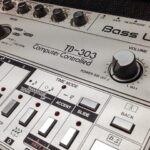
2. Roland TB-303

A legendary synth that defined acid house.

Characteristics:

  • Squelchy, resonant sound
  • Unique filter behavior
  • Signature acid basslines

Its sound became the foundation of entire electronic genres.


3. Roland Juno-106

A classic polyphonic synth loved for its simplicity and lush sound.

Characteristics:

  • Warm pads
  • Built-in chorus effect
  • Easy-to-use interface

Perfect for chords, pads, and retro sounds.


4. Sequential Prophet-5

One of the first programmable polyphonic synths.

Characteristics:

  • Rich, vintage tone
  • Flexible sound design
  • Iconic 80s sound

Still widely used in modern productions.


5. Korg MS-20

A unique and aggressive analog synth.

Characteristics:

  • Raw, gritty sound
  • Patchable semi-modular design
  • Distinctive filters

Great for experimental and industrial sounds.


6. Moog Sub 37

A modern take on classic Moog design.

Characteristics:

  • Deep bass
  • Powerful modulation
  • Modern features with analog warmth

Ideal for both studio and live use.


7. Behringer Model D

An affordable clone of the Minimoog.

Characteristics:

  • Classic Moog-style sound
  • Budget-friendly
  • Great for beginners

Brings analog sound to a wider audience.


8. Arturia MiniBrute

A modern analog synth with aggressive character.

Characteristics:

  • Brute Factor distortion
  • Strong, edgy sound
  • Hands-on controls

Popular in techno and experimental music.


9. Dave Smith Prophet Rev2

A modern polyphonic analog synth.

Characteristics:

  • Rich pads and textures
  • Advanced modulation
  • Versatile sound design

A modern evolution of the Prophet line.


10. Elektron Analog Four

A powerful analog synth with sequencing capabilities.

Characteristics:

  • Built-in sequencer
  • Deep modulation
  • Complex sound design

Great for live performance and electronic production.


Analog vs Digital Synths

Analog:

  • Warm and organic
  • Limited but characterful
  • Hands-on workflow

Digital:

  • Clean and precise
  • More flexible
  • Often cheaper

Many producers use both for different purposes.


Why Analog Synths Are Still Popular

Despite modern digital tools, analog synths remain relevant because:

  • They have a unique sonic character
  • They encourage hands-on creativity
  • They offer limitations that inspire better ideas

Who Should Use Analog Synths?

Analog synths are ideal for:

  • Electronic music producers
  • Sound designers
  • Live performers
  • Anyone looking for a unique sound

However, they are not required to make professional music.


Analog synthesizers are more than just instruments—they are part of music history. Their sound, workflow, and character continue to influence modern production.

Whether you own a real analog synth or use software emulations, understanding these classic instruments will help you make better music.

How to Build Your Own Home Music Studio

Building a home music studio is one of the best investments you can make as a producer. The good news? You don’t need a huge budget or a professional facility to get started. With the right choices, you can create a setup that allows you to record, produce, and mix music at a high level—all from your own room.

In this guide, we’ll walk through everything you need to build your own home studio step by step.


1. Choose the Right Room

Your room has a huge impact on sound quality.

What to look for:

  • A quiet environment (away from traffic and noise)
  • Medium-sized room (avoid very small or very large spaces)
  • Minimal echo and reflections

Simple improvements:

  • Add rugs, curtains, and furniture
  • Avoid empty walls and hard surfaces
  • Position your desk symmetrically

The goal is a balanced listening environment.


2. Computer – The Core of Your Studio

Your computer is the heart of your setup.

Minimum recommendations:

  • 8–16 GB RAM
  • SSD storage
  • Modern CPU

Both Windows and macOS work well—choose what you’re comfortable with.


3. Choose a DAW (Digital Audio Workstation)

Your DAW is where everything happens.

Popular options:

  • FL Studio
  • Ableton Live
  • Logic Pro

Each DAW can produce professional music—workflow matters more than choice.


4. Audio Interface

An audio interface improves sound quality and reduces latency.

Recommended beginner options:

  • Focusrite Scarlett 2i2
  • Audient iD14

Key features:

  • Clean preamps
  • Low latency
  • Phantom power (for microphones)

5. Studio Monitors or Headphones

You need accurate monitoring to mix properly.

Studio monitors:

  • Better stereo image
  • More natural listening

Headphones:

  • Good for untreated rooms
  • More affordable

Best approach: use both if possible.


6. MIDI Keyboard (Optional but Recommended)

A MIDI keyboard speeds up your workflow and creativity.

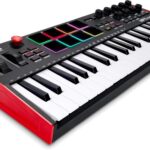
Popular choice:

  • Akai MPK Mini MK3

It helps with:

  • Playing melodies
  • Programming drums
  • Controlling plugins

7. Microphone (For Recording)

If you plan to record vocals or instruments:

Types:

  • Condenser mic – detailed and sensitive
  • Dynamic mic – better for untreated rooms

Also consider:

  • Pop filter
  • Mic stand

8. Basic Acoustic Treatment

Acoustics matter more than expensive gear.

Start with:

  • Foam panels or DIY treatment
  • Bass traps (if possible)
  • Rugs and curtains

Even simple treatment can significantly improve your mixes.


9. Essential Software & Plugins

You don’t need hundreds of plugins.

Start with:

  • Stock DAW plugins
  • A good synth (e.g., Vital)
  • Basic EQ, compressor, reverb

Focus on learning tools—not collecting them.


10. Organize Your Workspace

A clean setup improves workflow.

Tips:

  • Manage cables
  • Keep your desk uncluttered
  • Use proper monitor placement
  • Maintain good posture

Comfort affects productivity more than you think.


Budget Setup Example

💰 Beginner Studio (Low Budget)

  • Laptop + DAW
  • Audio interface
  • Headphones
  • Free plugins

💰💰 Mid-Level Setup

  • Studio monitors
  • MIDI keyboard
  • Basic acoustic treatment

💰💰💰 Advanced Setup

  • Multiple monitors
  • Hardware gear
  • Treated room

Common Mistakes

  • Buying expensive gear too early
  • Ignoring room acoustics
  • Using too many plugins
  • Not learning your DAW properly

Focus on skills over equipment.


Building a home studio is not about having the most gear—it’s about having the right tools and knowing how to use them. Start simple, learn your setup, and upgrade only when needed.

A great studio grows with you.

Hardware vs Software – What Should You Choose as a Beginner?

If you’re just starting your journey in music production, one of the first big questions you’ll face is:

Should I invest in hardware or stick with software?

Both approaches have their strengths, and both can lead to professional results. The key is understanding what each option offers—and what actually makes sense at the beginning.

In this article, we’ll break down the differences between hardware and software, and help you decide which path is right for you.


What Do We Mean by Hardware and Software?

Hardware

Physical gear such as:

  • Synthesizers
  • Drum machines
  • Samplers
  • Audio interfaces
  • MIDI controllers

Hardware exists outside your computer and often has knobs, buttons, and pads.


Software

Digital tools inside your computer:

  • DAWs (Digital Audio Workstations)
  • VST instruments and effects
  • Sample libraries

Everything happens inside your computer environment.


Advantages of Software (Best for Beginners)

For most beginners, software is the easiest and most practical starting point.

1. Low Cost

  • Many free plugins available
  • DAWs offer everything in one place
  • No need for additional gear

2. All-in-One Environment

  • Recording, mixing, and mastering in one program
  • Unlimited tracks and flexibility
  • Easy editing and automation

3. Fast Learning Curve

  • Tutorials widely available
  • Visual interfaces help understanding
  • Mistakes are easy to fix

4. Portability

  • Work from anywhere with just a laptop
  • No cables or hardware setup

Advantages of Hardware

Hardware offers a completely different experience.

1. Hands-On Workflow

  • Physical knobs and buttons
  • More intuitive for some users
  • Encourages experimentation

2. Focus and Creativity

  • Fewer distractions than a computer
  • Limitations can boost creativity

3. Unique Sound Character

  • Some hardware has distinctive analog sound
  • Adds color and warmth

4. Performance-Friendly

  • Great for live shows
  • Real-time control

Disadvantages of Software

  • Can feel overwhelming (too many options)
  • Requires screen time
  • Plugin overload can slow workflow

Disadvantages of Hardware

  • Expensive compared to software
  • Limited flexibility
  • Requires space and setup
  • Harder to edit and undo mistakes

Which Is Better for Beginners?

👉 Short answer: Start with software.

Why?

  • Lower cost
  • Faster learning
  • More flexibility
  • Everything you need is already included

You can create professional music using only:

  • A DAW
  • Stock plugins
  • Free VSTs

When Should You Add Hardware?

Consider hardware when:

  • You understand basic production concepts
  • You want a more tactile workflow
  • You perform live
  • You’re looking for inspiration

Start simple—like a MIDI keyboard or pad controller.


Best Hybrid Approach

Many producers eventually use both:

  • Software for flexibility and mixing
  • Hardware for creativity and performance

This hybrid workflow gives the best of both worlds.


Common Beginner Mistakes

  • Buying expensive gear too early
  • Thinking hardware = better sound
  • Ignoring fundamentals
  • Focusing on gear instead of skills

Remember: skills matter more than equipment.


Choosing between hardware and software is not about right or wrong—it’s about what helps you start, learn, and stay consistent.

For beginners, software is the smartest choice. It’s affordable, powerful, and flexible. Once you gain experience, you can gradually expand into hardware and build your ideal setup.

Best MIDI Keyboards for Music Producers – What to Choose in 2026

A MIDI keyboard is one of the most useful tools in any producer’s setup. It allows you to play melodies, program drums, control plugins, and speed up your workflow inside a DAW. But with so many models available, choosing the right one can be confusing.

In this guide, we’ll break down the best MIDI keyboards for producers, what features matter, and how to choose the right one for your needs.


What Is a MIDI Keyboard?

A MIDI keyboard does not produce sound on its own. Instead, it sends MIDI data to your DAW or plugins, allowing you to control:

  • Virtual instruments (VSTs)
  • Drum racks and samplers
  • Effects and automation

It’s essentially your hands-on controller for music production.


Key Features to Consider

Before choosing a MIDI keyboard, focus on these essentials:

🎹 Key Count

  • 25 keys – portable, good for beats and basic melodies
  • 49 keys – balanced option for most producers
  • 61 keys – better for advanced playing
  • 88 keys – full piano experience

Pads, Knobs, and Faders

  • Pads for finger drumming
  • Knobs for controlling plugins
  • Faders for mixing

More controls = faster workflow.


DAW Integration

Some keyboards are designed for specific DAWs like Ableton, FL Studio, or Logic.

Look for:

  • Auto-mapping
  • Transport controls (play, stop, record)
  • Plugin control

Build Quality & Feel

  • Keybed quality (important for playing)
  • Durability
  • Portability

Best MIDI Keyboards for Producers

Akai MPK Mini MK3

  • Compact and affordable
  • Built-in drum pads
  • Great for beginners

Perfect for beatmakers and mobile producers.


Arturia KeyLab Essential 49

  • Excellent DAW integration
  • Comes with software bundle
  • Great all-around option

Ideal for producers who want versatility.


Novation Launchkey 49 MK3

  • Designed for Ableton Live
  • Creative features like scale mode
  • RGB pads

Perfect for electronic music producers.


Native Instruments Komplete Kontrol A49

  • Deep integration with Komplete plugins
  • High-quality keybed
  • Smart browsing system

Great for sound designers and NI users.


M-Audio Oxygen Pro 49

  • Advanced features at a good price
  • Arpeggiator and scale modes
  • Good DAW compatibility

Solid mid-range option.


Akai MPK249

  • Professional build quality
  • Full control surface
  • Excellent pads

Best for producers who want a more “studio feel”.


Arturia KeyStep Pro

  • Powerful sequencing capabilities
  • Great for hardware setups
  • Unique workflow

Perfect for hybrid setups (hardware + software).


Best MIDI Keyboard by Use Case

For Beginners

  • Akai MPK Mini MK3

For All-Around Production

  • Arturia KeyLab Essential 49
  • Novation Launchkey 49 MK3

🎛️ For Advanced Users

  • Akai MPK249
  • Arturia KeyStep Pro

Do You Need a MIDI Keyboard?

Technically, you can produce music without one—but a MIDI keyboard:

  • Speeds up workflow
  • Improves creativity
  • Makes playing more natural
  • Helps with melody writing

It’s one of the best investments for any producer.


Common Mistakes When Choosing

  • Buying too many keys for a small desk
  • Ignoring DAW compatibility
  • Choosing features you won’t use
  • Overpaying for branding

Focus on what fits your workflow.


The best MIDI keyboard is the one that fits your workflow, space, and style. Whether you’re just starting out or upgrading your setup, there are excellent options at every price point.

Start simple, learn your gear, and upgrade only when needed.

Top 20 Best Free VST Instruments for Music Producers

You don’t need expensive plugins to create professional music. Today’s free VST instruments are powerful, versatile, and used by producers worldwide. Whether you’re into hip-hop, EDM, pop, or cinematic music, there are free tools that can cover almost every need.

Here’s a carefully curated list of the 20 best free VST instruments—with real value for your workflow.


Top 20 Free VST Instruments

1. Vital (Wavetable Synth)

A modern wavetable synth with a beautiful interface and deep modulation.


2. Surge XT (Hybrid Synth)

Open-source powerhouse with multiple synthesis engines and pro-level features.


3. Dexed (FM Synth)

A Yamaha DX7-style synth perfect for classic FM sounds and modern textures.


4. Tyrell N6

Analog-inspired synth with warm tones and a classic workflow.


5. LABS (Spitfire Audio)

High-quality sampled instruments—great for cinematic and ambient production.


6. Komplete Start (Native Instruments)

A bundle of instruments and sounds covering multiple genres.


7. Helm

Beginner-friendly synth with clear visual modulation.


8. Zebralette

A powerful wavetable synth from the Zebra family.


9. OB-Xd

Classic analog-style synth inspired by Oberheim hardware.


10. Ample Guitar M Lite II

Realistic acoustic guitar with strumming and articulation features.


11. BBC Symphony Orchestra Discover

Entry-level orchestral library with surprisingly good quality.


12. MT Power Drum Kit 2

Acoustic drum plugin with built-in grooves and solid realism.


13. TAL-Noisemaker

Fat basses, classic leads, and vintage character.


14. PG-8X

Emulation of a Roland-style synth, great for pads and retro sounds.


15. Charlatan

Simple subtractive synth—perfect for learning synthesis basics.


16. Synister

Modern synth with flexible modulation and clean UI.


17. Cardinal (Modular Synth)

A modular environment for deep sound design and experimentation.


18. Decent Sampler

A platform for loading high-quality free sampled instruments.


19. DSK Instruments (Collection)

Various free plugins including piano, strings, and world instruments.


20. Tunefish 4

Lightweight synth with powerful sound capabilities and low CPU usage.


What This List Covers

With these 20 plugins, you get a complete production toolkit:

  • Synths → Vital, Surge XT, TAL-Noisemaker
  • Real instruments → LABS, BBC Orchestra, Ample Guitar
  • Drums → MT Power Drum Kit 2
  • Experimental tools → Cardinal, Synister

You can literally produce full tracks using only these tools.


How to Use These Plugins Effectively

  • Start with 2–3 instruments, not all 20
  • Learn presets, then tweak them
  • Combine sounds through layering
  • Focus on finishing tracks instead of collecting plugins

Common Beginner Mistakes

  • Installing too many plugins at once
  • Not learning any plugin deeply
  • Ignoring stock DAW instruments
  • Chasing new tools instead of improving skills

Free VST instruments are no longer “limited” tools—they’re powerful enough for professional production. With plugins like Vital, Surge XT, and LABS, you can create high-quality music without spending anything.

The key is not how many plugins you have—but how well you use them.

Previous
Flag Counter