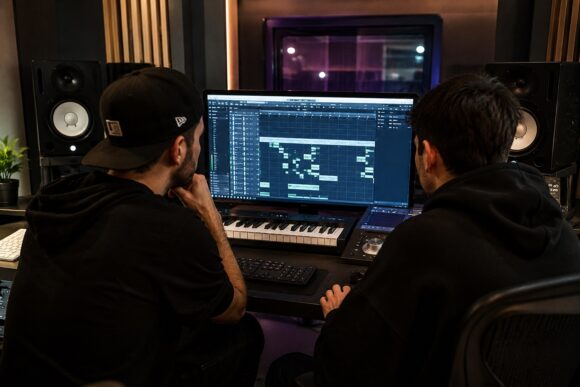
Collaboration has become a major part of modern music production. Whether you’re working with a producer across the world or a friend in your local scene, sharing projects efficiently can save time, prevent misunderstandings, and make the creative process much smoother.
However, many collaborations become frustrating because projects are poorly organized, files are missing, or important information isn’t communicated clearly.
In this article, you’ll learn how to prepare your project professionally before sending it to another producer.
Why Project Preparation Matters
A well-organized project helps:
- Speed up collaboration
- Avoid missing files and errors
- Improve communication
- Make revisions easier
- Create a more professional impression
The easier your project is to understand, the more productive the collaboration will be.
1. Clean Up Your Session
Before sharing your project, remove anything unnecessary.
Delete or remove:
- Unused audio files
- Disabled plugins
- Empty tracks
- Experimental ideas that won’t be used
A clean session is easier to navigate and less confusing for collaborators.
2. Name Tracks Properly
Nothing slows down a collaboration like seeing tracks named:
- Audio 1
- Track 5
- Untitled Synth
Instead, use clear names:
- Lead Vocal
- Main Piano
- 808 Bass
- Drum Bus
- FX Sweep
Proper labeling saves time and prevents mistakes.
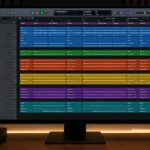
3. Color-Code Your Tracks
Most DAWs allow color coding.
Example:
🔵 Drums
🟢 Bass
🟡 Instruments
🟣 Vocals
🔴 Effects
Visual organization makes large projects much easier to understand.
4. Consolidate and Export Audio Files
Even if you’re sharing a DAW project, always prepare audio stems.
Export:
- Individual tracks
- Group buses
- Main vocal stems
- Instrument stems
Make sure every file:
- Starts at bar 1
- Uses the same sample rate
- Has the same length
This ensures perfect alignment in any DAW.
5. Include Project Information
Always provide basic project details:
Essential information:
- BPM (tempo)
- Key of the song
- Time signature
- DAW version
- Plugin versions
A simple text document can save hours of troubleshooting.
6. Manage Third-Party Plugins
Plugins are one of the biggest collaboration challenges.
Before sending:
- List all third-party plugins used
- Mention any uncommon plugins
- Bounce important sounds to audio if necessary
Never assume the other producer owns the same plugins.
7. Freeze or Render CPU-Heavy Tracks
Some projects can become difficult to open due to high CPU usage.
Good practice:
- Freeze demanding instruments
- Export rendered versions
- Include both MIDI and audio when possible
This provides maximum flexibility.
8. Organize Files Into Folders
A professional folder structure might look like:
Project Folder
- DAW Project File
- Stems
- MIDI Files
- Samples
- Project Notes
- Mix References
Clear organization reduces confusion immediately.
9. Include MIDI Files
MIDI files are extremely valuable.
Benefits:
- Easy editing
- Sound replacement
- Arrangement flexibility
Whenever possible, include MIDI alongside audio.
10. Add Notes for Your Collaborator
Don’t make them guess your intentions.
Examples:
- “Need help with drums.”
- “Vocals are temporary.”
- “Mix is not final.”
- “Open to arrangement suggestions.”
Clear communication encourages productive collaboration.
11. Use Cloud Storage
Large projects often exceed email limits.
Popular options:
- Cloud drives
- File-sharing platforms
- Collaboration services
Make sure links remain active and accessible.
12. Save a Backup Before Sending
Always create a backup copy before making changes.
This protects you if:
- Files become corrupted
- Mistakes happen
- You need to return to an earlier version
A backup is a simple but essential habit.
Common Collaboration Mistakes
- Missing audio files
- Unnamed tracks
- Not exporting stems
- Using rare plugins without notice
- Forgetting BPM or key information
- Sending unfinished project folders
Avoiding these mistakes makes you much easier to work with.
Project Sharing Checklist
Before sending your project, verify:
✅ Tracks named clearly
✅ Session cleaned up
✅ BPM and key included
✅ Audio stems exported
✅ MIDI files included
✅ Plugins documented
✅ Notes added
✅ Backup created
If all boxes are checked, your project is ready for professional collaboration.
Great collaboration starts with great organization. Preparing your project properly shows professionalism, respects your collaborator’s time, and allows both of you to focus on what matters most—making better music.
The easier your project is to open, understand, and work on, the more likely your collaboration will succeed.
And remember:
A well-organized project is often the difference between a smooth collaboration and a frustrating one.