Modern music production is built around software. What once required an expensive recording studio filled with hardware can now be accomplished on a laptop with the right collection of programs and plugins.
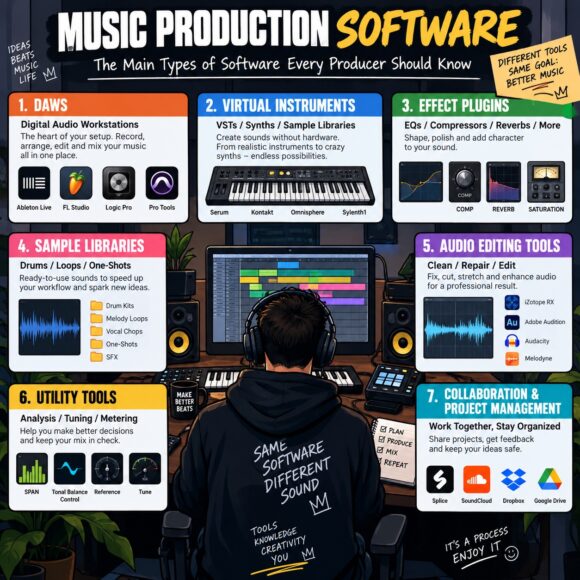
However, the term music production software covers much more than Digital Audio Workstations. Producers use different types of software for recording, composing, sound design, sampling, mixing, mastering, audio restoration, and many other tasks.
Understanding these categories can help you build a more efficient studio and choose tools that actually improve your workflow.
In this guide, we’ll explore the main types of music production software and explain what each category is designed to do.
What Is Music Production Software?
Music production software is any computer program designed to help create, record, edit, process, arrange, mix, or master audio and music.
Depending on its purpose, music software can function as a complete production environment or perform one specialized task.
The main categories include:
- Digital Audio Workstations (DAWs)
- Virtual instruments
- Audio effect plugins
- Samplers
- Drum machines
- Synthesizers
- Audio editors
- Mixing software and plugins
- Mastering software
- Pitch and timing correction tools
- Audio restoration software
- Music notation software
- Sample and sound library managers
- DJ and live performance software
Let’s examine each category in more detail.
1. Digital Audio Workstations (DAWs)
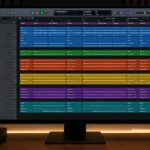
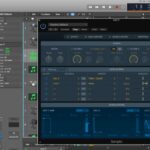
The Digital Audio Workstation, commonly known as a DAW, is the center of most modern music production setups.
A DAW allows producers to perform almost every stage of production inside one application.
Typical features include:
- Multitrack audio recording
- MIDI sequencing
- Audio editing
- Arrangement
- Automation
- Mixing
- Plugin hosting
- Exporting and rendering
Popular DAWs include FL Studio, Ableton Live, Logic Pro, Cubase, Studio One, Pro Tools, and REAPER.
Although these programs share many features, their workflows can be very different.
For example, some DAWs focus heavily on recording, while others are designed around electronic production, beatmaking, or live performance.
For most producers, choosing and learning one DAW thoroughly is more important than constantly switching between different programs.
2. Virtual Instruments (VSTi)
Virtual instruments recreate musical instruments inside your computer.
Instead of recording a physical piano, synthesizer, orchestra, or drum kit, you can load a virtual instrument into your DAW and control it using MIDI.
Virtual instruments can simulate:
- Pianos
- Guitars
- Bass guitars
- Drums
- Orchestras
- Synthesizers
- Vintage keyboards
- Ethnic instruments
Some instruments are based on recorded samples, while others generate sounds using synthesis.
Modern virtual instruments can provide extremely realistic results, making them essential for home producers who don’t have access to large collections of physical instruments.
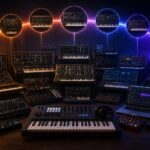
3. Software Synthesizers
Software synthesizers generate sounds digitally.
Unlike sample-based instruments, synthesizers usually create sounds using oscillators and different synthesis techniques.
Common synthesis methods include:
Subtractive synthesis
Oscillators generate harmonically rich sounds that are shaped using filters.
FM synthesis
One oscillator modulates another to produce complex harmonic structures.
Wavetable synthesis
The synthesizer moves between different waveforms stored in a wavetable.
Additive synthesis
Complex sounds are constructed from multiple sine waves.
Granular synthesis
Audio is divided into tiny fragments called grains and manipulated creatively.
Physical modeling
Mathematical algorithms simulate the behavior of acoustic instruments or physical objects.
Learning synthesis gives producers much greater control over their sound instead of relying entirely on presets.
4. Samplers
A sampler allows you to load recorded audio and play or manipulate it like an instrument.
Samples might include:
- Drum hits
- Vocal phrases
- Piano notes
- Instrument recordings
- Sound effects
- Entire musical phrases
Samplers often provide tools for:
- Pitch shifting
- Time stretching
- Looping
- Filtering
- Envelopes
- Modulation
Sampling is particularly important in hip-hop, electronic music, pop, and film scoring.
Some modern samplers have become complete sound-design environments capable of creating extremely complex instruments.
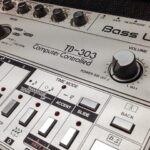
5. Drum Machines and Drum Software
Drum software is designed specifically for creating rhythmic parts.
It can simulate:
- Acoustic drum kits
- Electronic drum machines
- Percussion
- 808-style drums
Many drum plugins include built-in sequencers that allow producers to create patterns without using the main DAW sequencer.
They may also include:
- Groove libraries
- Velocity controls
- Humanization
- Individual mixer channels
- Multiple microphone positions
Drum software can be useful for almost every modern genre.
6. Audio Effect Plugins
Audio effects process existing sounds rather than generating new ones.
They are among the most important tools used during production and mixing.
Major categories include:
EQ
Used to increase or reduce specific frequency ranges.
Compression
Controls the dynamic range of audio.
Reverb
Creates a sense of acoustic space.
Delay
Produces repeating echoes.
Saturation
Adds harmonics, warmth, and distortion.
Chorus
Creates width and movement by combining slightly modified copies of a signal.
Flanger and Phaser
Produce sweeping modulation effects.
Distortion
Changes the harmonic structure of a sound and can range from subtle coloration to extreme destruction.
Most DAWs already include these effects, but producers can also install third-party plugins.
7. Mixing Plugins
Mixing plugins are designed to help producers combine individual elements into a balanced final mix.
Common mixing tools include:
- Parametric EQ
- Compressors
- Limiters
- De-essers
- Gates
- Saturation
- Stereo imaging tools
- Transient shapers
- Spectrum analyzers
- Metering tools
Many modern plugins also combine several processors into one channel strip.
The purpose of mixing software isn’t simply to make everything louder. It’s to create clarity, balance, depth, and emotional impact.
8. Mastering Software
Mastering is the final processing stage before music is distributed.
Mastering software may include:
- Equalization
- Multiband compression
- Limiting
- Stereo processing
- Saturation
- Loudness metering
- Dynamic EQ
Some mastering suites combine all these processors into a single application or plugin.
Modern mastering software may also include automated or AI-assisted features that analyze a track and suggest starting points.
However, critical listening remains extremely important.
9. Audio Editing Software
Sometimes a full DAW is unnecessary.
Dedicated audio editors are designed for detailed editing of individual files.
Typical functions include:
- Cutting
- Trimming
- Normalization
- Fades
- Format conversion
- Noise removal
- Batch processing
Audio editors are commonly used by producers, mastering engineers, podcasters, sound designers, and video creators.
10. Pitch Correction Software
Pitch correction tools are designed primarily for vocals and melodic instruments.
They can:
- Correct inaccurate notes
- Change melodies
- Adjust vibrato
- Create harmonies
- Produce robotic vocal effects
Pitch correction can be extremely transparent or intentionally obvious depending on the desired result.
In modern pop, hip-hop, R&B, and electronic music, these tools have become part of the creative production process rather than simply a way to repair mistakes.
11. Time and Timing Correction Software
Timing tools allow producers to modify rhythmic performances.
They can help:
- Align drums
- Correct vocal timing
- Synchronize recordings
- Quantize performances
- Change tempo without changing pitch
Modern algorithms can stretch audio significantly while maintaining surprisingly natural sound quality.
12. Audio Restoration Software
Audio restoration software is designed to repair problematic recordings.
It can remove or reduce:
- Background noise
- Hum
- Clicks
- Pops
- Clipping
- Reverb
- Wind noise
These tools are especially useful for restoring old recordings, cleaning vocals, repairing location recordings, and improving dialogue.
Modern restoration programs increasingly use machine learning to separate unwanted sounds from useful material.
13. Vocal Processing Software
Vocals often require specialized processing.
Dedicated vocal software may combine:
- Pitch correction
- Compression
- EQ
- De-essing
- Saturation
- Reverb
- Delay
- Harmony generation
Some tools can even transform vocals into synthetic or heavily processed textures.
Because vocals are often the central element of a song, dedicated vocal processing has become an important software category.
14. MIDI Software and Sequencers
MIDI does not contain recorded audio.
Instead, it stores performance information such as:
- Notes
- Velocity
- Timing
- Duration
- Pitch bend
- Controller movements
MIDI sequencers allow producers to edit performances with incredible precision.
Most modern DAWs include MIDI sequencing, but standalone sequencers and specialized MIDI tools also exist.
15. Music Notation Software
Not every musician works primarily with piano rolls.
Composers, arrangers, teachers, and orchestral musicians frequently use notation software.
These programs allow users to create traditional sheet music and work with:
- Notes
- Chords
- Articulations
- Dynamics
- Lyrics
- Orchestral scores
Some notation applications can also play compositions using virtual instruments and export MIDI or audio.
16. Sample Libraries
Sample libraries provide collections of professionally recorded sounds.
They may contain:
- Drum samples
- Loops
- Vocals
- Orchestral recordings
- Sound effects
- Instrument multisamples
- Cinematic textures
Large sample libraries can contain hundreds of gigabytes of audio.
They are particularly important in film scoring and realistic orchestral production, where recording a complete orchestra would otherwise be extremely expensive.
17. Sample Management Software
As a producer’s sample collection grows, finding the right sound can become difficult.
Sample management software helps organize large libraries using:
- Tags
- Categories
- Search functions
- Waveform previews
- Tempo detection
- Key detection
Good sample organization can significantly improve production speed.
Instead of spending ten minutes searching for a kick drum, you can find suitable sounds almost immediately.
18. Guitar and Bass Amp Simulation Software
Modern software can recreate guitar amplifiers, cabinets, microphones, and effects pedals.
Amp simulation software allows guitarists to record directly into an audio interface and choose their amplifier sound later.
These programs can simulate:
- Clean amplifiers
- Tube amplifiers
- High-gain stacks
- Bass amplifiers
- Speaker cabinets
- Pedalboards
This provides enormous flexibility without requiring a room full of physical amplifiers.
19. DJ Software
DJ software is another important category of music software.
It allows performers to:
- Mix tracks
- Synchronize tempos
- Create loops
- Add effects
- Set cue points
- Control music using dedicated hardware
Modern DJ applications can also use stem separation, allowing performers to manipulate vocals, drums, bass, and other elements independently.
20. Live Performance Software
Some music software is designed specifically for performing rather than traditional studio production.
Live performance tools can control:
- Backing tracks
- Virtual instruments
- Effects
- MIDI hardware
- Loops
- Automation
Electronic musicians often combine laptops, MIDI controllers, synthesizers, and other hardware into complex live systems.
21. Standalone Software vs Plugins
Music production software generally operates in two ways.
Standalone applications
These programs can run independently.
Examples include:
- DAWs
- Audio editors
- Notation programs
- Some mastering applications
Plugins
Plugins run inside compatible host software such as a DAW.
Common plugin formats include:
- VST
- VST3
- Audio Units (AU)
- AAX
Before downloading a plugin, always check whether its format is supported by your DAW and operating system.
22. Free vs Paid Music Production Software
Professional production doesn’t necessarily require expensive software.
Today, producers can find excellent free:
- DAWs
- Synthesizers
- Samplers
- EQs
- Compressors
- Reverbs
- Analyzers
Paid software often provides additional features, larger libraries, technical support, or more advanced workflows.
However, price doesn’t automatically determine sound quality.
A skilled producer using free software can achieve better results than an inexperienced producer using thousands of dollars’ worth of plugins.
23. AI-Powered Music Production Software
Artificial intelligence is becoming increasingly integrated into music software.
AI-assisted tools can now help with:
- Stem separation
- Noise removal
- Mastering
- Sample organization
- Sound generation
- Chord suggestions
- Mixing assistance
- Audio analysis
These technologies can significantly accelerate technical tasks.
However, AI should ideally support creative decision-making rather than replace it.
Your musical taste remains one of the most important parts of the production process.
What Software Does a Beginner Actually Need?
The huge number of available programs can make beginners feel that they need hundreds of tools.
They don’t.
A basic setup can consist of:
- One DAW
- One versatile virtual synthesizer
- A sampler
- EQ
- Compressor
- Reverb
- Delay
- Limiter
- A small collection of quality samples
In fact, most DAWs already provide nearly everything required to create complete tracks.
Additional software should solve a specific problem rather than simply expand your plugin collection.
Avoid Plugin Overload
One of the most common problems among modern producers is constantly searching for new software.
Downloading more plugins can feel productive, but it doesn’t necessarily improve your music.
Learning five tools deeply is usually more valuable than owning 500 plugins you barely understand.
Before installing another plugin, ask yourself:
What can this software do that my current tools cannot?
If you don’t have a clear answer, you may not need it.
How to Choose Music Production Software
When evaluating new software, consider:
- Compatibility with your operating system
- DAW compatibility
- CPU and RAM requirements
- Ease of use
- Sound quality
- Stability
- Update policy
- Price
- Licensing conditions
- Whether it genuinely improves your workflow
Don’t choose software simply because another producer uses it.
The best tool is the one that helps you turn your ideas into finished music efficiently.
Music production software has transformed the recording industry. A modern producer can compose, record, edit, mix, and master an entire album without leaving a computer.
From DAWs and virtual instruments to samplers, synthesizers, mixing plugins, restoration programs, and AI-assisted tools, there is software available for virtually every stage of production.
But having more software doesn’t automatically make you a better producer.
Start with the essentials. Learn your DAW deeply. Understand your instruments and effects. Add new tools only when they solve a real problem or open up a genuinely useful creative possibility.
Ultimately, music production software is only a collection of tools. Your creativity, knowledge, decisions, and musical ideas are what turn those tools into music.